What is vibe coding?

You've probably seen the term floating around on LinkedIn or Twitter. "Vibe coding" sounds like yet another buzzword. But behind the name, there's a real shift in how software gets built.
Vibe coding is the practice of building an application by describing what you want in plain language and letting AI write the code for you.
In practice: you type "create a signup page with email and password", and the tool generates the code. You see the result, tweak it, ask for more. No need to know what a useState or a middleware is. You describe, AI builds.
Think of it like ordering custom furniture: you describe what you want (a 6-foot shelf with 5 levels), and someone builds it for you. Except here, that "someone" responds in 10 seconds.
Where did it come from?
The term was coined by Andrej Karpathy in February 2025. Karpathy is an AI heavyweight: former director of AI at Tesla, co-founder of OpenAI. When he speaks, the tech world listens.
In a tweet that went viral, he described his new way of coding with AI models:
"I just see stuff, say stuff, run stuff, and copy-paste error messages back in. I barely read the code. It's not really coding, I just see stuff, say stuff, run stuff, and vibe."
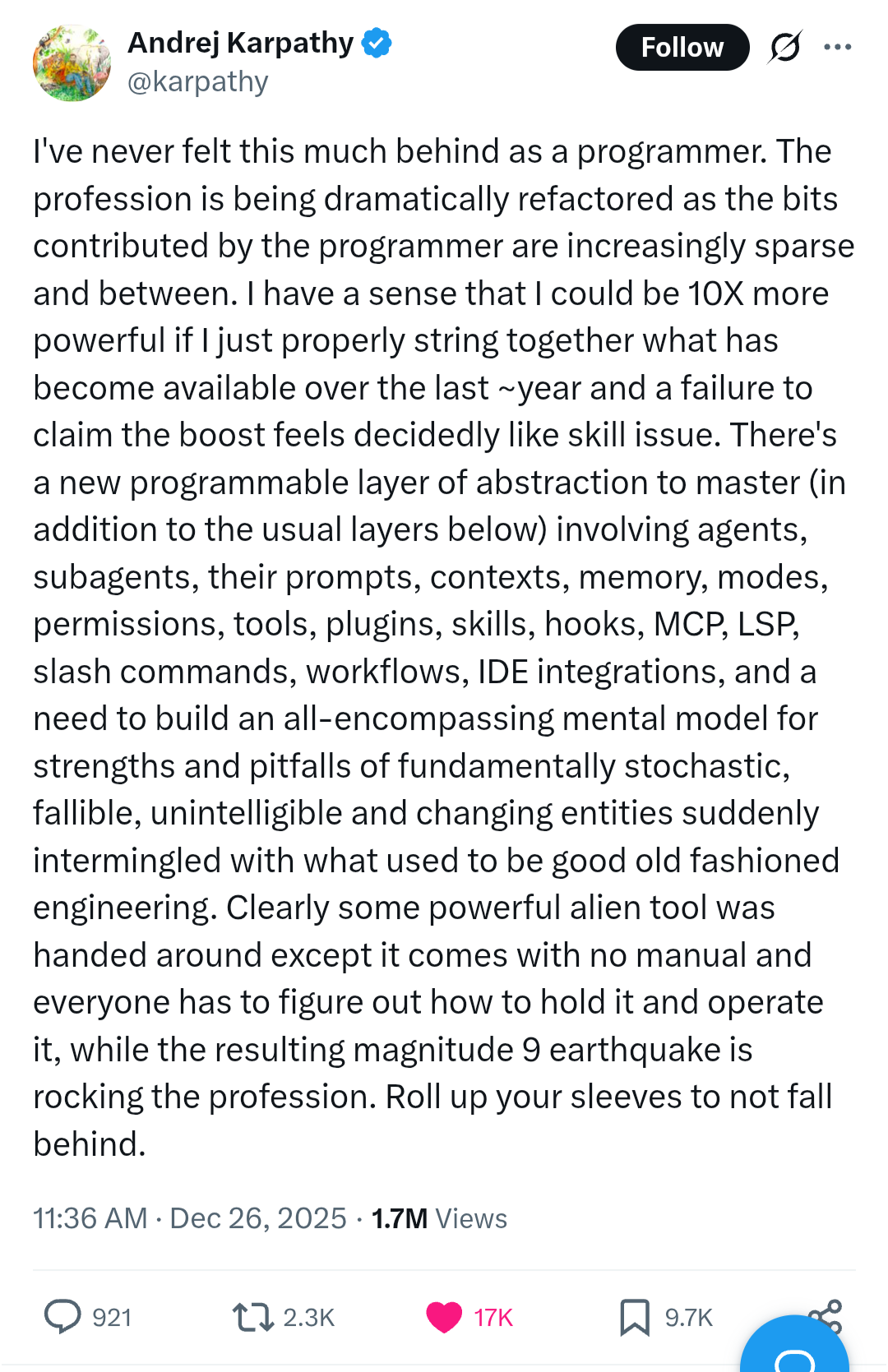
The message struck a nerve. Thousands of founders, designers, and non-technical entrepreneurs recognized themselves: for the first time, they could build things without depending on a developer.
Within months, vibe coding went from niche concept to mainstream phenomenon. Tools like Cursor, Bolt, and Lovable exploded in popularity, and thousands of non-developers shipped their first app to production.
How it actually works
The principle is simple, but the approaches vary. Here are the two main ways to vibe code today:
The "all-in-one" approach
Platforms like Bolt or Lovable offer a complete environment in the browser. You describe your app, the AI generates everything: code, UI, sometimes even the database.
This is the most accessible entry point. Nothing to install, nothing to configure. In 10 minutes, you have a working prototype.
The catch: these tools are great for prototypes and simple MVPs. But as your app grows, you'll hit their limits, customization, performance, data management.
The "editor + AI" approach
Tools like Cursor, Windsurf, or Claude Code integrate directly into a code editor. You work in a real project, with real files, and AI assists you in real time.
It's more powerful, but requires some technical context. You don't need to know how to code, but you need to understand project structure (folders, files, terminal).
The catch: this is the approach that delivers the best results in the medium term. You keep control over your code and can evolve your app without starting from scratch.
The typical workflow
Regardless of the approach, the workflow looks like this:
- You describe what you want, in plain language. "Add a Stripe payment button on the product page."
- AI generates the code, it proposes a complete solution or modifications to your existing code.
- You check the result, does it work? Does it look like what you wanted?
- You iterate, "Change the button color", "Add a confirmation before payment", etc.
It sounds magical. And for some things, it truly is. But there's a "but"...
The main tools
The vibe coding tool landscape evolves fast. In 2026, two main families stand out:
All-in-one platforms (Bolt, Lovable, Replit), you describe your app in the browser, AI generates everything. Nothing to install. Perfect for prototyping and validating an idea in a few hours.
AI-augmented editors (Cursor, Windsurf, Claude Code), you work in a real project, with real files, and AI assists you in real time. More powerful, but requires some technical context.
The right tool depends on your stage. If you're validating an idea, an all-in-one platform is enough. If you're building a real product, an editor + AI will give you more control. We wrote a detailed comparison to help you choose.
The limits and risks
This is the part nobody highlights on LinkedIn. Vibe coding is powerful. But there are blind spots, and if you don't know them, they'll cost you.
Invisible technical debt
When AI generates code, it produces something that works. But "works" and "well-built" are two very different things.
Imagine you're building a house. AI puts up the walls, the roof, the windows. From the outside, everything looks perfect. But behind the walls, there's no insulation, the plumbing is jury-rigged, and the wiring isn't up to code.
It holds up. Until the day it doesn't.
In practice, this means:
- Duplicated code everywhere, the same logic copied 15 times instead of being centralized
- No clear structure, every feature added makes the project harder to understand
- Security shortcuts, poorly managed passwords, exposed data, missing validations
Botched authentication
This is the most critical issue. Auth (signup, login, session management) is the most annoying thing to build. It's also the first thing that'll cost you users if it's done poorly.
AI often generates auth that "works in demo" but doesn't hold up in real use: no login attempt limits, no email validation, tokens that never expire...
Fragile database
AI creates tables and columns on the fly, without a big-picture view. Result: duplicate data, inconsistent relationships, and one day, a migration that breaks everything.
"It works on my machine" deployments
Your app works locally. Great. But putting it in production, with HTTPS, a domain name, secure environment variables, logs, backups, that's a different skill set.
No safety net
No tests. No CI/CD. No staging environment. Every change is a leap of faith. When you have 10 users, it's fine. When you have 1,000, it hurts.
The false sense of control
The most insidious risk. You see the app working, you add features, everything feels smooth. But you don't understand what's happening under the hood. And the day something breaks, on a Sunday evening, obviously, you have no idea where to start.
When to call a professional

Vibe coding isn't a problem. It's a tool. A very powerful one, that lets you move faster than ever.
The problem is believing the tool is enough for everything.
Warning signs
You should consider professional help when:
- You're preparing to launch, and you're not sure your app will hold up with real users
- You have paying users, and downtime would cost you money and trust
- You're raising funds, and investors will look at your tech closely
- You spend more time fixing bugs than building, a sign that technical debt is piling up
- You can't answer "is my app secure?", because nobody has checked
What it changes
A professional doesn't replace vibe coding. They complement it. You keep building features with AI. They set up what AI can't do:
- Architecture that holds, so every new feature doesn't make the project more fragile
- Solid auth, so your users can sign up, pay, and use your product with confidence
- Reliable deployment, so "going to production" isn't a stress moment
- Safety nets, tests, monitoring, alerts, so you can sleep at night
The hybrid approach
This is the best combination in 2026:
- You + AI for features, UI, rapid iterations
- A professional for the foundations: architecture, auth, data, deployment, security
You keep the speed. You gain reliability. And you launch a product that won't wake you up at 3 AM.
Want to know if your app can handle real users?
Vibe coding lets you build fast. But building fast and building solid aren't the same thing.
If you want practical tips for building with AI without the pitfalls, subscribe to the newsletter. No spam, just what you need to know.
And if you want to know where your product stands, what's solid, what's risky, and what to fix first, book an audit. In 3 days, you'll know exactly where you are and what to do next.